
R.A.T.S. Documentation
R.A.T.S. is in active development and this is a living document. Not all information or screenshots may accurately represent the current state of the module.
Until I decide if I want to integrate all of my modules under one menu in Foundry, the way to open the R.A.T.S. Builder is to create a new script macro in Foundry which simply contains the call openRatsBuilder()
Introduction
R.A.T.S. - Root Access Terminal and Shell is a Foundry VTT module that allows GMs to design and Players to experience retro-style terminal simulations. It is modular, employing what I call Elements strung together to form what I call Screens. See below for more detail.
Installation
- Visit My Patreon Page to purchase individual modules or to join a Membership Tier that includes the module(s) you want.
- Head to https://fuliginheart.dev and use the Login with Patreon button to access any entitlements you have with me.
- Add your custom manifest link to your Foundry installation.
Overview
The module is divided into two distinct areas: the Terminal Builder and the Terminal Viewer.
Terminal Builder
Here is where you will create and manage all of your Terminals. The Terminal Builder has a Card View and a List View as well as a search function to assist GMs who make heavy use of the module and need a quick way to narrow down a large amount of Terminals.
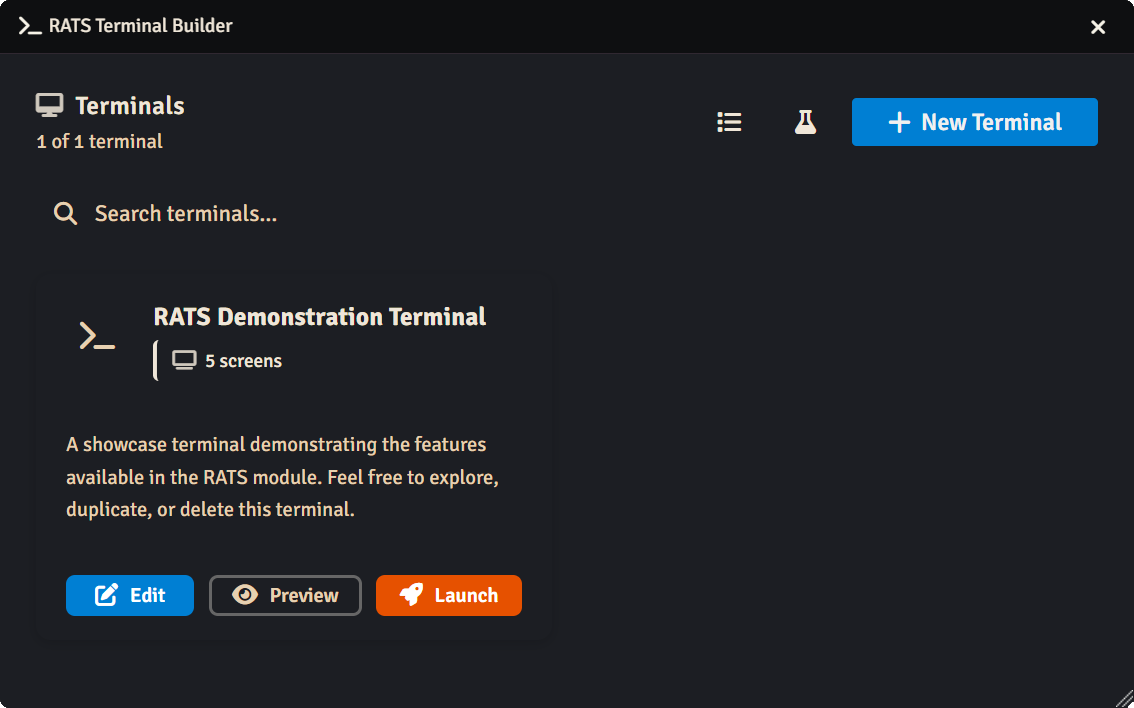
R.A.T.S. Demonstration Terminal
The module installs with a Demonstration Terminal meant to help you get familiarized with all of the currently released Modules and see some examples of how they can be configured and arranged to interact. Experienced users can delete this Terminal and it can be recreated at any time by clicking the Font Awesome Beaker icon in the upper right of the Terminal Builder - Terminal List window.
Terminal Viewer
Terminals
In the world of R.A.T.S., a Terminal is a collection of one or more Screens and Elements. The arrangement of these components can take many forms- Terminals can be extremely complex, interlinked applications or single-screen static informational readouts. You can often tell how complex a Terminal is simply by looking at the Terminal Tree.
The Tree
The Tree is where you can define and organize the Screens and Elements that make up you Terminals.
Screens
Iconography
Elements
Elements are the currently the smallest unit in the R.A.T.Sverse and represent a little bundle of functionality that GMs can use to build out screens which can then be linked together in fun and exciting ways.